
harles


Elvo AI App
Role
Snr Product Designer
Project Type
AI Assisted Project
Industry
Communication Technology
Year
Completed 2025
Elvo AI
Designing an AI support system to build your confidence for everyday conversations.
The part I played
My Role
On Elvo AI, I worked as the sole product designer, owning the mobile experience end to end while using AI as a core part of my design process. I defined the UX strategy and shaped the full product flow from onboarding and personalization to voice recording, analysis, and progress tracking.
A key part of my role was translating complex AI outputs into feedback that felt human, clear, and encouraging. I focused on helping users understand their communication patterns without feeling judged, turning insights into simple, actionable guidance.
I designed a calm, confidence-building visual language and collaborated closely with engineering and product to ensure the experience aligned with the AI’s real capabilities. Using prompts as my primary design input, I took Elvo AI from early concept to a cohesive, end-to-end product experience.
The challenge
Improving communication confidence is deeply personal, and I was very aware of that as I designed Elvo AI. Many people feel anxious, judged, or discouraged when practicing their voice, especially when feedback feels harsh or overly technical. My challenge was to make sure the experience felt supportive and encouraging, not intimidating.
I focused on designing AI feedback that felt human and reassuring, helping users build confidence rather than self-doubt. I also had to balance motivation with simplicity encouraging daily practice without overwhelming users with too much information at once. A big part of the work was translating complex voice metrics into language and visuals that anyone could understand, whether they were just starting out or already confident speakers.
Trust was another critical consideration. I designed the experience to be transparent and respectful around microphone usage and voice data, so users always felt safe and in control. Alongside this, I carefully translated these emotional and functional challenges into precise prompts for Figma AI, ensuring the designs reflected empathy, clarity, and intention.
Above all, my goal was to create an experience that felt safe, motivating, and emotionally intelligent one where users could practice, reflect, and grow at their own pace.
The goal
My design goal for Elvo AI was to create a safe, judgment-free space where users could practice speaking and build confidence at their own pace. I wanted the experience to feel supportive and human like a calm coach rather than intimidating or overly technical.
I focused on translating complex AI insights into clear, actionable feedback that users of any skill level could understand, while encouraging daily practice without pressure. Trust, emotional sensitivity, and clarity guided every decision, ensuring users felt in control, supported, and motivated to improve over time.
Elvo AI
AI Social Skills Coach App
Making use of AI
The role of AI
A defining part of how I approached Elvo AI was treating AI as an active design partner, not just a supporting tool. From the earliest exploration to refined UI concepts, AI was deeply embedded in my process and powered nearly all of the early and mid-stage design work.
I worked primarily through prompt-driven design, using AI to quickly explore ideas, shape structure, and test multiple directions before committing to a final path. Tools like ChatGPT, Figma Make AI, and image-based AI generators allowed me to move from abstract thinking to tangible design outputs at speed.
With AI, I was able to rapidly create early wireframes and layout structures, explore initial concepts and visual directions, and continuously refine prompts to iterate on ideas with increasing clarity and intent. This approach helped me think broader, move faster, and focus more of my energy on experience quality, emotional tone, and product coherence.
Initial AI Concepts
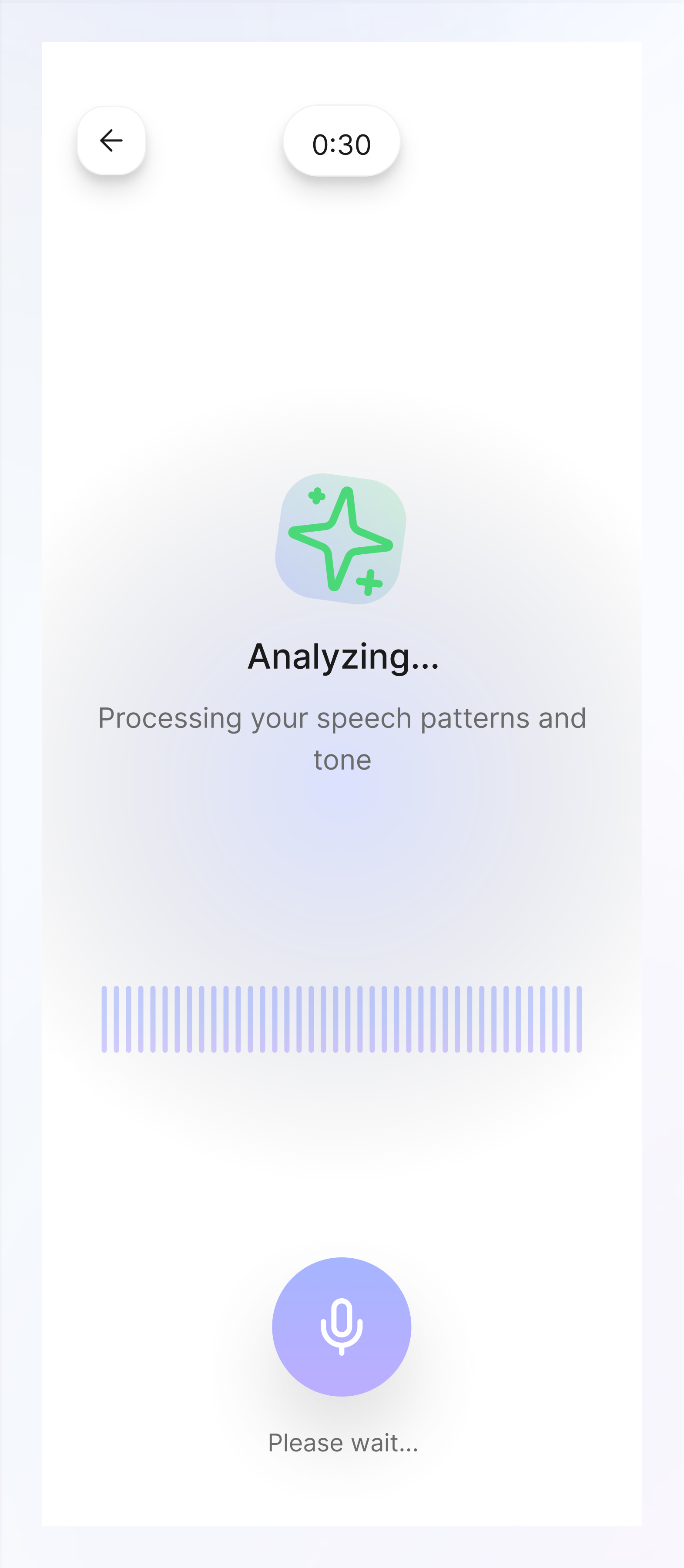
Key Design Decisions
Elvo AI key-points
When making design decisions for Elvo AI, I was intentional about shaping an experience that felt supportive, calm, and human from the very first interaction. One of my core choices was leading with encouragement in both copy and tone. I designed the product to acknowledge effort before performance, helping reduce anxiety and making users feel safe to practice without fear of judgment.
I also leaned heavily into visual calmness. Through the use of soft gradients, generous spacing, and a restrained interface, I created an environment that helped users slow down, focus, and feel at ease while engaging with their voice.
To support consistency without pressure, I designed interactions to be short and lightweight. The goal was to make daily practice feel achievable, allowing users to build confidence and habit gradually rather than feeling overwhelmed.
Finally, I paid close attention to privacy communication. I made sure users clearly understood how their voice data was handled, using simple, transparent messaging to build trust and reassurance especially important for an experience that relies so heavily on personal input.

Onboarding flow
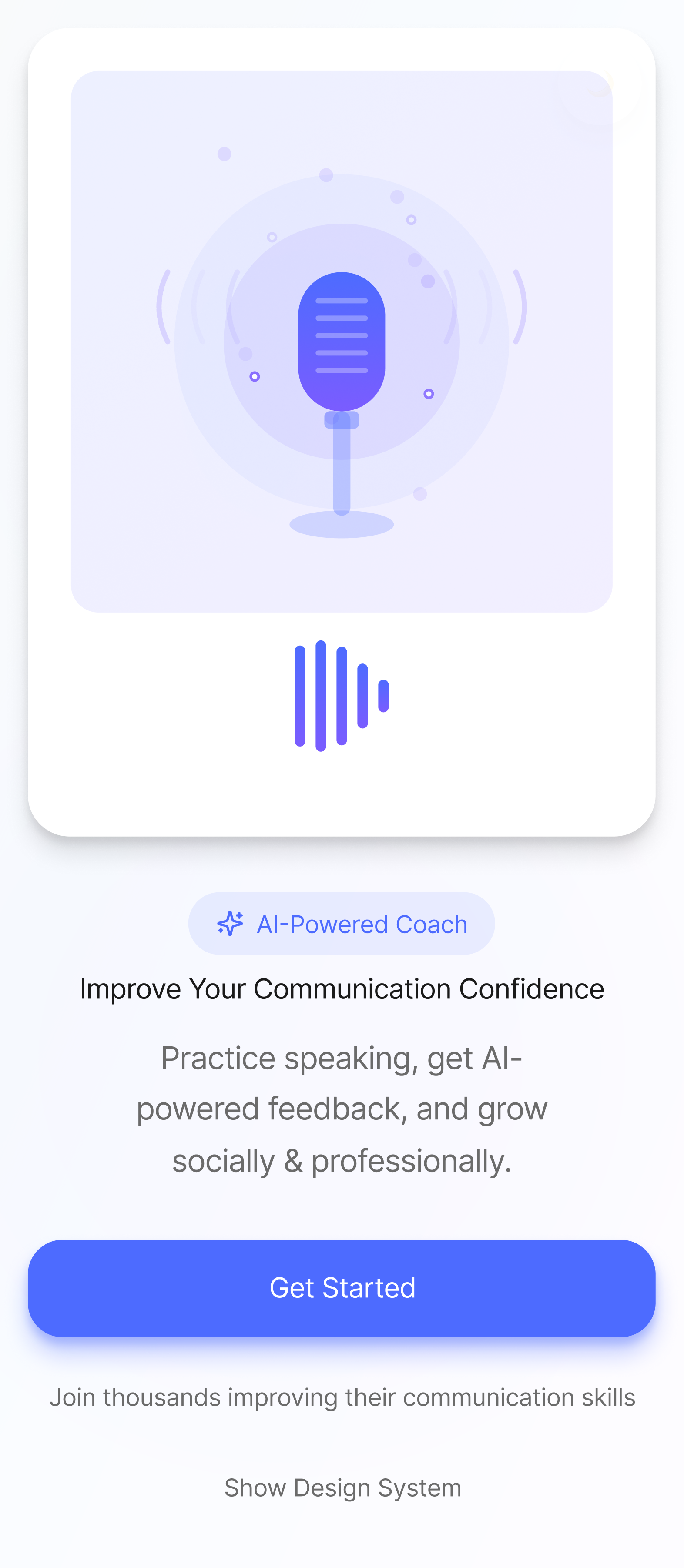
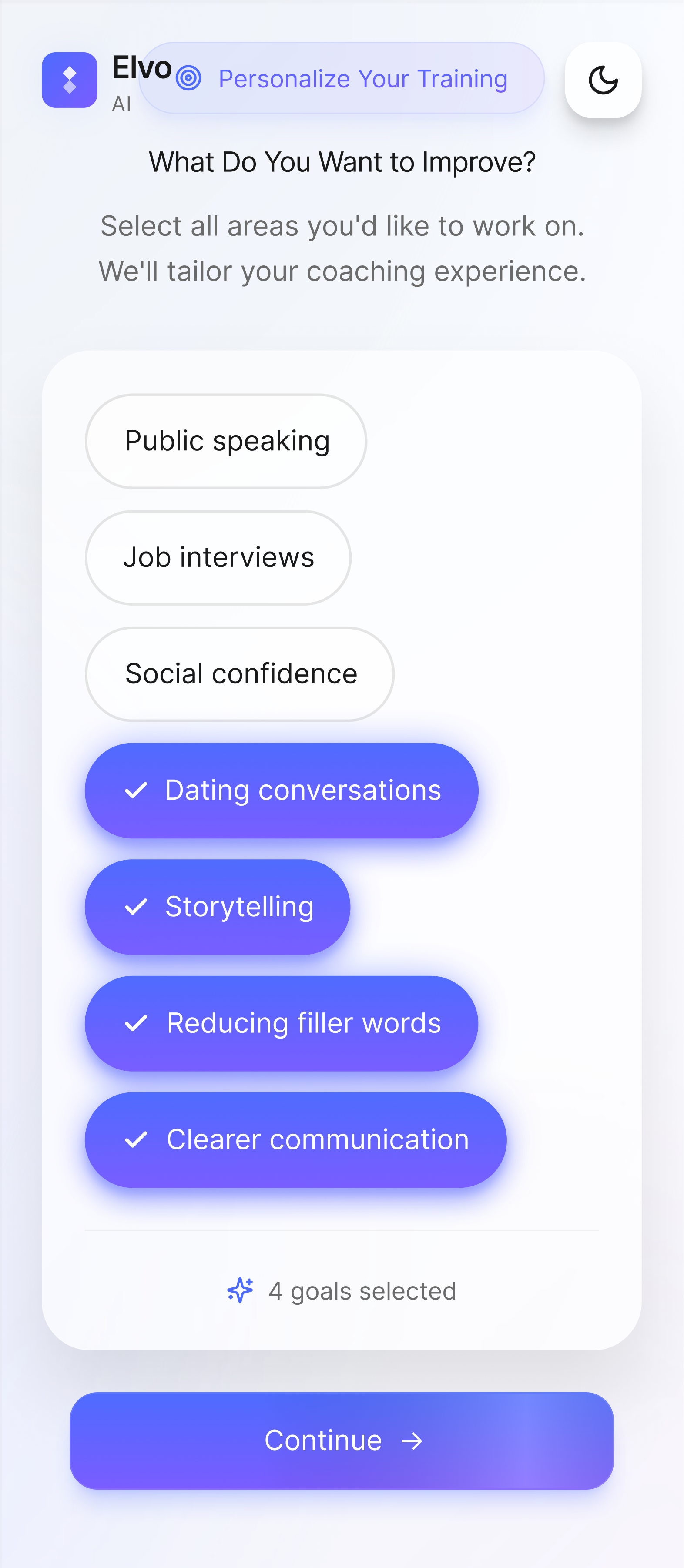
✔ Introduction: Clear explanation of what the app does and transparency around microphone permissions
✔ Personalization: Tailor feedback and coaching and make the experience feel personal from day one.
✔ Privacy assurance: Emphasis on no judgment and private practice.
Click play to view prototype.
Home dashboard flow
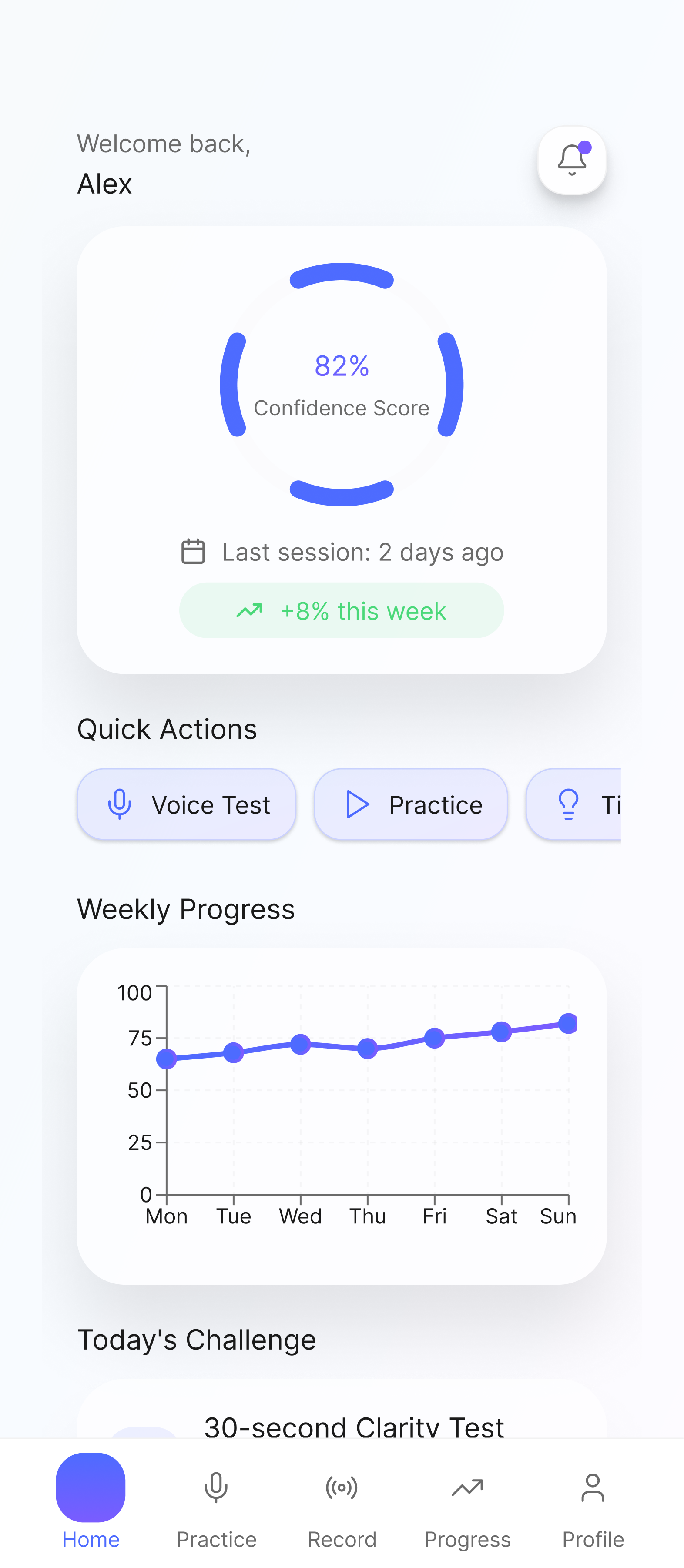
✔ Confidence level: See current confidence score and improvement report for the week.
✔ Track progress: View weekly growth progress trends.
✔ Daily challenges: Daily speaking challenges for development.
Click play to view prototype.
Practice scenarios flow
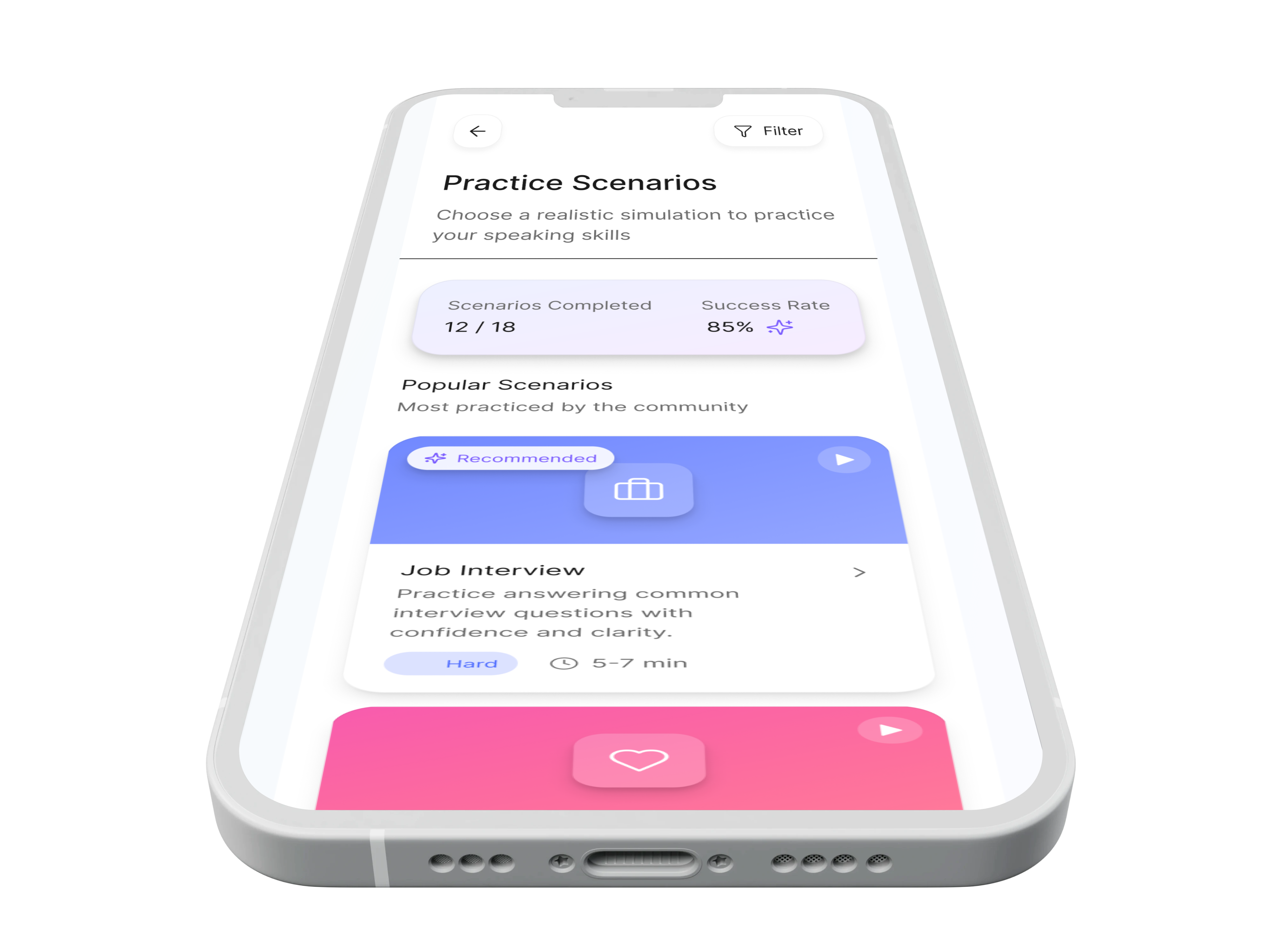
✔ Simulate scenarios: Get different scenarios to practice for different conversions.
✔ Completed scenarios: See your stat on all completed scenarios and success rate
✔ Scenario cards: Each card contains a specific scenario, difficulty level, time limit, prompt suggestion and tips for success.
Click play to view prototype.
Recording flow
✔ Record practice: Get record practice for 30 seconds to analyze tone, clarity and speaking pace.
✔ Record analysis: View your record overall score and breakdown by category
✔ Ai feedback: Get feedback on areas you performed well and where improvement is needed. You can also start a personalized training.
✔ Personalized training: Training recommendations to improve your speaking tone, pace, clarity, filler words awareness and overall confidence.
Click play to view prototype.
Profile flow
✔ Personal details: See personal details like name and experience level.
✔ Goals: View current goals and edit goals if needed.
✔ Preferences: View and change preferences as required.
✔ Privacy: Control and manage your privacy and security of data.
✔ Export data: Download and export progress data as pdf to share when needed.
Click play to view prototype.
Dark mode experience
✔ Accessibility: Ability to toggle from profile section to dark mode for a different experience for users.
✔ More control: Users prefer a certain mode at certain times.
Click play to view prototype.
Highlighted mockups
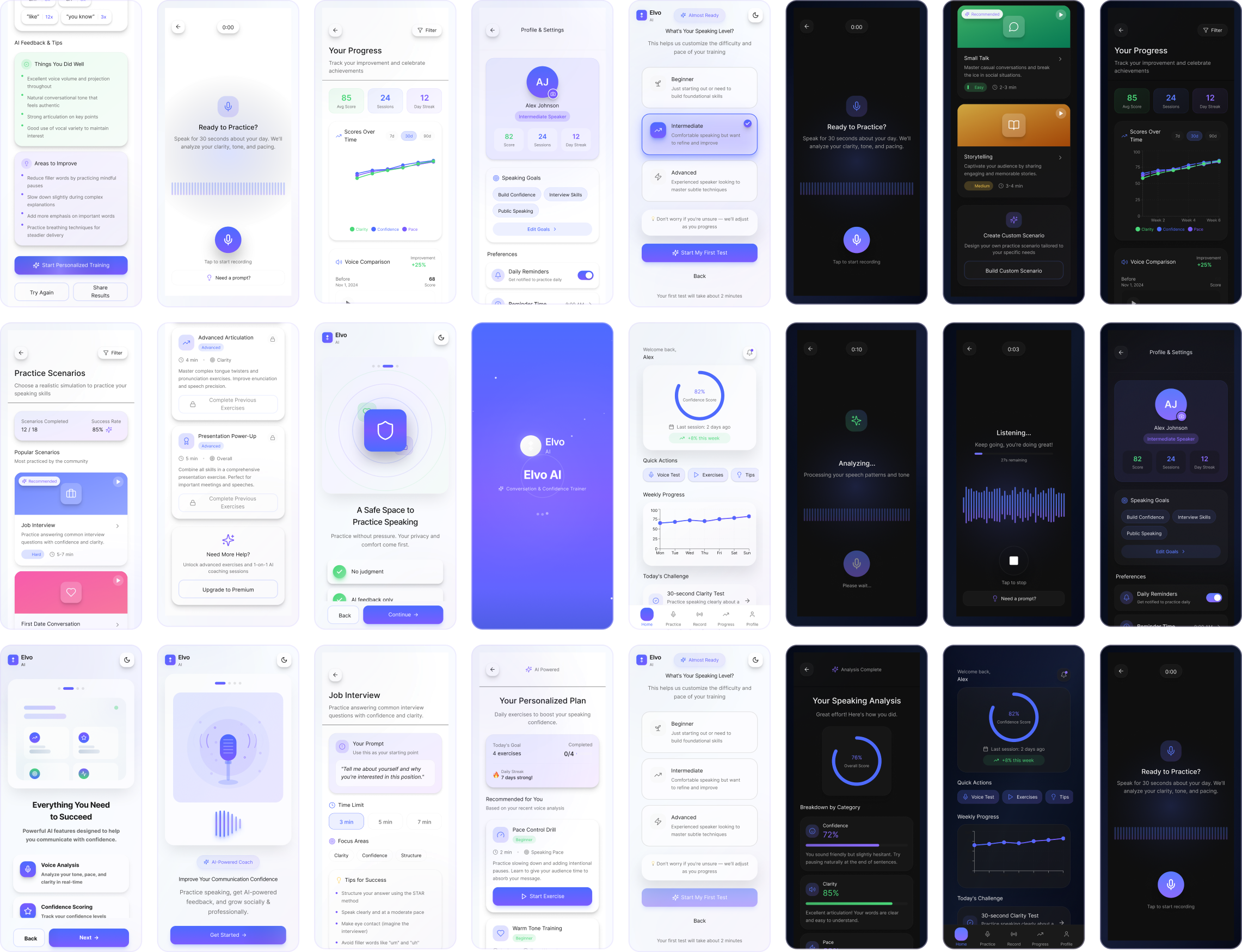
What we achieved
Results and impact
The design of Elvo AI delivered a product experience that felt meaningfully different from typical AI tools — supportive, human, and built around emotional safety rather than performance pressure.
By leading with encouragement and framing feedback positively, the experience was designed to reduce the anxiety users typically feel when hearing themselves speak, making it easier to return daily without dread or self-judgment. Short, lightweight interactions kept practice feel achievable rather than overwhelming, directly supporting the habit-forming behaviour the product depends on.
Translating complex voice metrics into plain, actionable language meant users of any skill level could understand their progress and know exactly what to work on next — removing the gap between insight and action that makes most coaching tools feel frustrating.
Transparent handling of voice data and privacy communication built the trust necessary for users to engage openly with a deeply personal experience. This foundation ensured the product could earn repeat use, not just first-time curiosity.
The scalable UX structure means Elvo AI can grow — new scenarios, coaching models, and skill tracks can be introduced without disrupting the calm, consistent experience users build a relationship with over time.
Reflection
My takeaways
The design of Elvo AI delivered strong product outcomes by meaningfully improving user confidence through positively framed, supportive feedback that encouraged repeat use. Engagement increased as short, daily exercises made practice feel achievable and reduced drop-off, while a clear learning loop helped users understand what to improve and how to act on it.
Transparent explanations of AI-generated insights built trust and credibility, and the scalable UX foundation ensures the product can evolve to support new use cases and coaching models over time.
Elvo AI also stands as a clear example of AI used as a design multiplier rather than a shortcut. By integrating AI deeply into my process refining prompts, exploring multiple directions, and applying critical design judgment. I was able to move faster, think broader, and deliver a more thoughtful, human-centered experience.

harles


Copyright 2025 by Charles Nwafor

Elvo AI App
Role
Snr Product Designer
Project Type
AI Assisted Project
Industry
Communication Technology
Year
Completed 2025

Elvo AI
Designing an AI support system to build your confidence for everyday conversations.
The part I played
My Role
On Elvo AI, I worked as the sole product designer, owning the mobile experience end to end while using AI as a core part of my design process. I defined the UX strategy and shaped the full product flow from onboarding and personalization to voice recording, analysis, and progress tracking.
A key part of my role was translating complex AI outputs into feedback that felt human, clear, and encouraging. I focused on helping users understand their communication patterns without feeling judged, turning insights into simple, actionable guidance.
I designed a calm, confidence-building visual language and collaborated closely with engineering and product to ensure the experience aligned with the AI’s real capabilities. Using prompts as my primary design input, I took Elvo AI from early concept to a cohesive, end-to-end product experience.
The challenge
Improving communication confidence is deeply personal, and I was very aware of that as I designed Elvo AI. Many people feel anxious, judged, or discouraged when practicing their voice, especially when feedback feels harsh or overly technical. My challenge was to make sure the experience felt supportive and encouraging, not intimidating.
I focused on designing AI feedback that felt human and reassuring, helping users build confidence rather than self-doubt. I also had to balance motivation with simplicity encouraging daily practice without overwhelming users with too much information at once. A big part of the work was translating complex voice metrics into language and visuals that anyone could understand, whether they were just starting out or already confident speakers.
Trust was another critical consideration. I designed the experience to be transparent and respectful around microphone usage and voice data, so users always felt safe and in control. Alongside this, I carefully translated these emotional and functional challenges into precise prompts for Figma AI, ensuring the designs reflected empathy, clarity, and intention.
Above all, my goal was to create an experience that felt safe, motivating, and emotionally intelligent one where users could practice, reflect, and grow at their own pace.
The goal
My design goal for Elvo AI was to create a safe, judgment-free space where users could practice speaking and build confidence at their own pace. I wanted the experience to feel supportive and human like a calm coach rather than intimidating or overly technical.
I focused on translating complex AI insights into clear, actionable feedback that users of any skill level could understand, while encouraging daily practice without pressure. Trust, emotional sensitivity, and clarity guided every decision, ensuring users felt in control, supported, and motivated to improve over time.
Elvo AI
AI Social Skills Coach App
Making use of AI
The role of AI
A defining part of how I approached Elvo AI was treating AI as an active design partner, not just a supporting tool. From the earliest exploration to refined UI concepts, AI was deeply embedded in my process and powered nearly all of the early and mid-stage design work.
I worked primarily through prompt-driven design, using AI to quickly explore ideas, shape structure, and test multiple directions before committing to a final path. Tools like ChatGPT, Figma Make AI, and image-based AI generators allowed me to move from abstract thinking to tangible design outputs at speed.
With AI, I was able to rapidly create early wireframes and layout structures, explore initial concepts and visual directions, and continuously refine prompts to iterate on ideas with increasing clarity and intent. This approach helped me think broader, move faster, and focus more of my energy on experience quality, emotional tone, and product coherence.
Initial AI Concepts
Key Design Decisions
Elvo AI key-points
When making design decisions for Elvo AI, I was intentional about shaping an experience that felt supportive, calm, and human from the very first interaction. One of my core choices was leading with encouragement in both copy and tone. I designed the product to acknowledge effort before performance, helping reduce anxiety and making users feel safe to practice without fear of judgment.
I also leaned heavily into visual calmness. Through the use of soft gradients, generous spacing, and a restrained interface, I created an environment that helped users slow down, focus, and feel at ease while engaging with their voice.
To support consistency without pressure, I designed interactions to be short and lightweight. The goal was to make daily practice feel achievable, allowing users to build confidence and habit gradually rather than feeling overwhelmed.
Finally, I paid close attention to privacy communication. I made sure users clearly understood how their voice data was handled, using simple, transparent messaging to build trust and reassurance especially important for an experience that relies so heavily on personal input.
Onboarding flow
✔ Introduction: Clear explanation of what the app does and transparency around microphone permissions
✔ Personalization: Tailor feedback and coaching and make the experience feel personal from day one.
✔ Privacy assurance: Emphasis on no judgment and private practice.
Click play to view prototype.
Home dashboard flow
✔ Confidence level: See current confidence score and improvement report for the week.
✔ Track progress: View weekly growth progress trends.
✔ Daily challenges: Daily speaking challenges for development.
Click play to view prototype.
Practice scenarios flow
✔ Simulate scenarios: Get different scenarios to practice for different conversions.
✔ Completed scenarios: See your stat on all completed scenarios and success rate
✔ Scenario cards: Each card contains a specific scenario, difficulty level, time limit, prompt suggestion and tips for success.
Click play to view prototype.
Recording flow
✔ Record practice: Get record practice for 30 seconds to analyze tone, clarity and speaking pace.
✔ Record analysis: View your record overall score and breakdown by category.
✔ Ai feedback: Get feedback on areas you performed well and where improvement is needed. You can also start a personalized training.
✔ Personalized training: Training recommendations to improve your speaking tone, pace, clarity, filler words awareness and overall confidence.
Click play to view prototype.
Profile flow
✔ Personal details: See personal details like name and experience level.
✔ Goals: View current goals and edit goals if needed.
✔ Preferences: View and change preferences as required.
✔ Privacy: Control and manage your privacy and security of data.
✔ Export data: Download and export progress data as pdf to share when needed.
Click play to view prototype.
Dark mode experience
✔ Accessibility: Ability to toggle from profile section to dark mode for a different experience for users.
✔ More control: Users prefer a certain mode at certain times.
Click play to view prototype.
Highlighted mockups
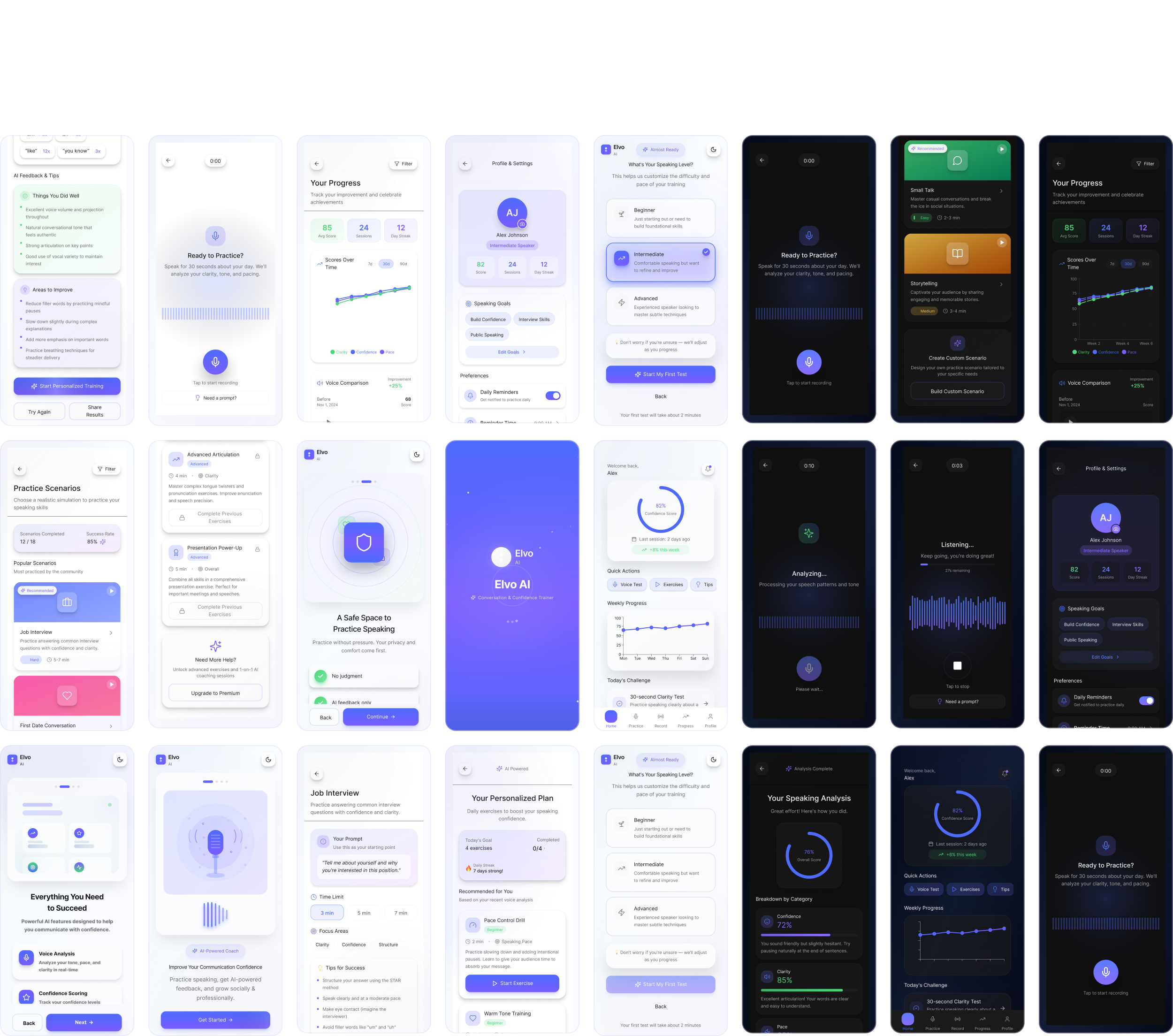
What we achieved
Results and impact
The design of Elvo AI delivered a product experience that felt meaningfully different from typical AI tools — supportive, human, and built around emotional safety rather than performance pressure.
By leading with encouragement and framing feedback positively, the experience was designed to reduce the anxiety users typically feel when hearing themselves speak, making it easier to return daily without dread or self-judgment. Short, lightweight interactions kept practice feel achievable rather than overwhelming, directly supporting the habit-forming behaviour the product depends on.
Translating complex voice metrics into plain, actionable language meant users of any skill level could understand their progress and know exactly what to work on next — removing the gap between insight and action that makes most coaching tools feel frustrating.
Transparent handling of voice data and privacy communication built the trust necessary for users to engage openly with a deeply personal experience. This foundation ensured the product could earn repeat use, not just first-time curiosity.
The scalable UX structure means Elvo AI can grow — new scenarios, coaching models, and skill tracks can be introduced without disrupting the calm, consistent experience users build a relationship with over time.
Reflection
My takeaways
The design of Elvo AI delivered strong product outcomes by meaningfully improving user confidence through positively framed, supportive feedback that encouraged repeat use. Engagement increased as short, daily exercises made practice feel achievable and reduced drop-off, while a clear learning loop helped users understand what to improve and how to act on it.
Transparent explanations of AI-generated insights built trust and credibility, and the scalable UX foundation ensures the product can evolve to support new use cases and coaching models over time.
Elvo AI also stands as a clear example of AI used as a design multiplier rather than a shortcut. By integrating AI deeply into my process refining prompts, exploring multiple directions, and applying critical design judgment. I was able to move faster, think broader, and deliver a more thoughtful, human-centered experience.
harles
Copyright 2025 by Charles Nwafor
Elvo AI App
Role
Snr Product Designer
Project Type
AI Assisted Project
Industry
Communication Technology
Year
Completed 2025

Elvo AI
Designing an AI support system to build your confidence for everyday conversations.
The part I played
My role
On Elvo AI, I worked as the sole product designer, owning the mobile experience end to end while using AI as a core part of my design process. I defined the UX strategy and shaped the full product flow from onboarding and personalization to voice recording, analysis, and progress tracking.
A key part of my role was translating complex AI outputs into feedback that felt human, clear, and encouraging. I focused on helping users understand their communication patterns without feeling judged, turning insights into simple, actionable guidance.
I designed a calm, confidence-building visual language and collaborated closely with engineering and product to ensure the experience aligned with the AI’s real capabilities. Using prompts as my primary design input, I took Elvo AI from early concept to a cohesive, end-to-end product experience.
The challenge
Improving communication confidence is deeply personal, and I was very aware of that as I designed Elvo AI. Many people feel anxious, judged, or discouraged when practicing their voice, especially when feedback feels harsh or overly technical. My challenge was to make sure the experience felt supportive and encouraging, not intimidating.
I focused on designing AI feedback that felt human and reassuring, helping users build confidence rather than self-doubt. I also had to balance motivation with simplicity encouraging daily practice without overwhelming users with too much information at once. A big part of the work was translating complex voice metrics into language and visuals that anyone could understand, whether they were just starting out or already confident speakers.
Trust was another critical consideration. I designed the experience to be transparent and respectful around microphone usage and voice data, so users always felt safe and in control. Alongside this, I carefully translated these emotional and functional challenges into precise prompts for Figma AI, ensuring the designs reflected empathy, clarity, and intention.
The goal
My design goal for Elvo AI was to create a safe, judgment-free space where users could practice speaking and build confidence at their own pace. I wanted the experience to feel supportive and human like a calm coach rather than intimidating or overly technical.
I focused on translating complex AI insights into clear, actionable feedback that users of any skill level could understand, while encouraging daily practice without pressure. Trust, emotional sensitivity, and clarity guided every decision, ensuring users felt in control, supported, and motivated to improve over time.
Elvo AI
AI Social Skills Coach App
Making use of AI
The role of AI
A defining part of how I approached Elvo AI was treating AI as an active design partner, not just a supporting tool. From the earliest exploration to refined UI concepts, AI was deeply embedded in my process and powered nearly all of the early and mid-stage design work.
I worked primarily through prompt-driven design, using AI to quickly explore ideas, shape structure, and test multiple directions before committing to a final path. Tools like ChatGPT, Figma Make AI, and image-based AI generators allowed me to move from abstract thinking to tangible design outputs at speed.
With AI, I was able to rapidly create early wireframes and layout structures, explore initial concepts and visual directions, and continuously refine prompts to iterate on ideas with increasing clarity and intent. This approach helped me think broader, move faster, and focus more of my energy on experience quality, emotional tone, and product coherence.
Initial AI Concepts
Key Design Decisions
Elvo AI key-points
When making design decisions for Elvo AI, I was intentional about shaping an experience that felt supportive, calm, and human from the very first interaction. One of my core choices was leading with encouragement in both copy and tone. I designed the product to acknowledge effort before performance, helping reduce anxiety and making users feel safe to practice without fear of judgment.
I also leaned heavily into visual calmness. Through the use of soft gradients, generous spacing, and a restrained interface, I created an environment that helped users slow down, focus, and feel at ease while engaging with their voice.
To support consistency without pressure, I designed interactions to be short and lightweight. The goal was to make daily practice feel achievable, allowing users to build confidence and habit gradually rather than feeling overwhelmed.
Finally, I paid close attention to privacy communication. I made sure users clearly understood how their voice data was handled, using simple, transparent messaging to build trust and reassurance especially important for an experience that relies so heavily on personal input.
Onboarding flow
✔ Introduction: Clear explanation of what the app does and transparency around microphone permissions
✔ Personalization: Tailor feedback and coaching and make the experience feel personal from day one.
✔ Privacy assurance: Emphasis on no judgment and private practice.
Click play to view prototype.
Home dashboard flow
✔ Confidence level: See current confidence score and improvement report for the week.
✔ Track progress: View weekly growth progress trends.
✔ Daily challenges: Daily speaking challenges for development.
Click play to view prototype.
Practice scenarios flow
✔ Simulate scenarios: Get different scenarios to practice for different conversions.
✔ Completed scenarios: See your stat on all completed scenarios and success rate
✔ Scenario cards: Each card contains a specific scenario, difficulty level, time limit, prompt suggestion and tips for success.
Click play to view prototype.
Recording flow
✔ Record practice: Get record practice for 30 seconds to analyze tone, clarity and speaking pace.
✔ Record analysis: View your record overall score and breakdown by category
✔ Ai feedback: Get feedback on areas you performed well and where improvement is needed. You can also start a personalized training.
✔ Personalized training: Training recommendations to improve your speaking tone, pace, clarity, filler words awareness and overall confidence.
Click play to view prototype.
Profile flow
✔ Personal details: See personal details like name and experience level.
✔ Goals: View current goals and edit goals if needed.
✔ Preferences: View and change preferences as required.
✔ Privacy: Control and manage your privacy and security of data.
✔ Export data: Download and export progress data as pdf to share when needed.
Click play to view prototype.
Dark mode experience
✔ Accessibility: Ability to toggle from profile section to dark mode for a different experience for users.
✔ More control: Users prefer a certain mode at certain times.
Click play to view prototype.
Highlighted mockups
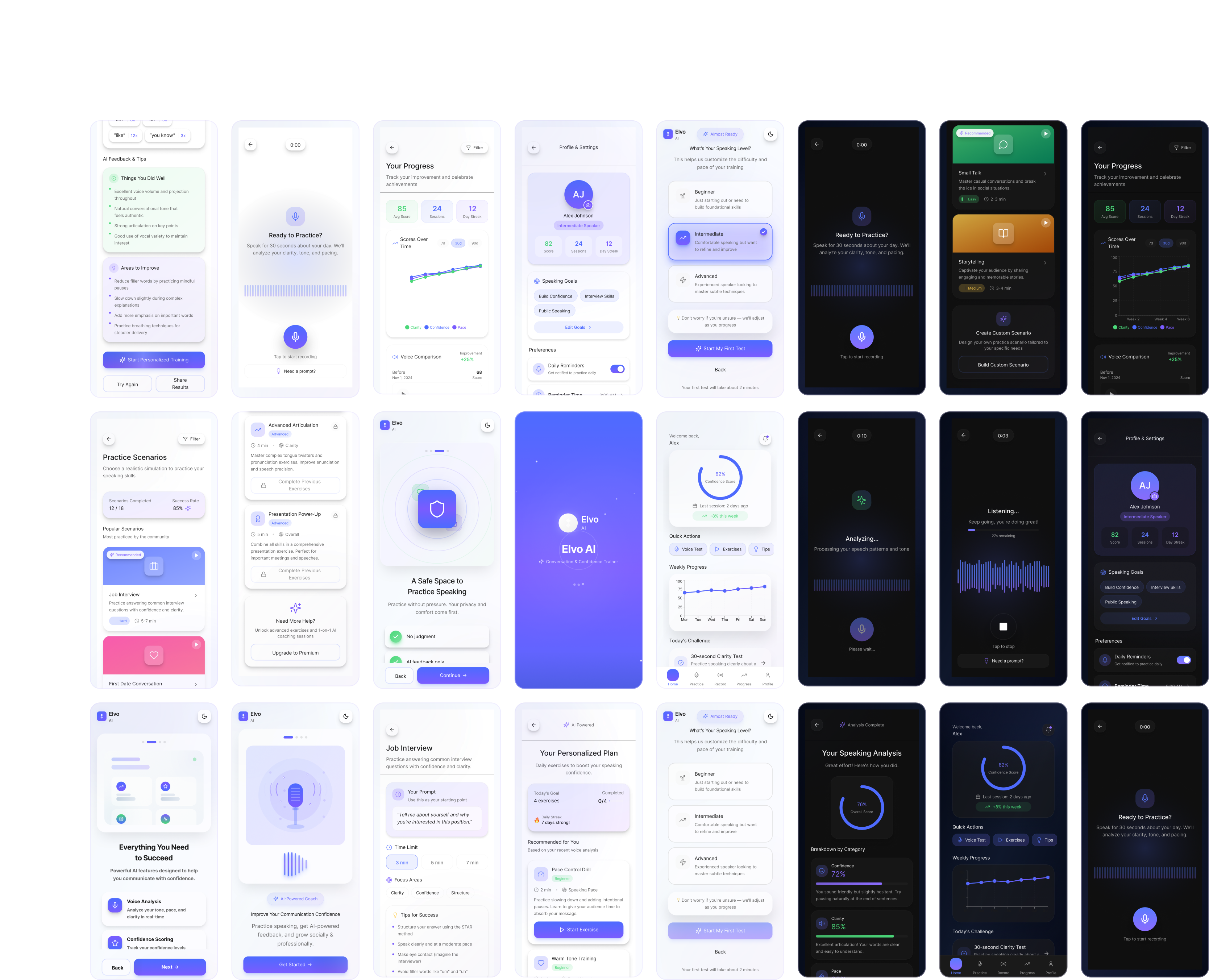
What we achieved
Results and impact
The design of Elvo AI delivered a product experience that felt meaningfully different from typical AI tools — supportive, human, and built around emotional safety rather than performance pressure.
By leading with encouragement and framing feedback positively, the experience was designed to reduce the anxiety users typically feel when hearing themselves speak, making it easier to return daily without dread or self-judgment. Short, lightweight interactions kept practice feel achievable rather than overwhelming, directly supporting the habit-forming behaviour the product depends on.
Translating complex voice metrics into plain, actionable language meant users of any skill level could understand their progress and know exactly what to work on next — removing the gap between insight and action that makes most coaching tools feel frustrating.
Transparent handling of voice data and privacy communication built the trust necessary for users to engage openly with a deeply personal experience. This foundation ensured the product could earn repeat use, not just first-time curiosity.
The scalable UX structure means Elvo AI can grow — new scenarios, coaching models, and skill tracks can be introduced without disrupting the calm, consistent experience users build a relationship with over time.
Reflection
My takeaways
The design of Elvo AI delivered strong product outcomes by meaningfully improving user confidence through positively framed, supportive feedback that encouraged repeat use. Engagement increased as short, daily exercises made practice feel achievable and reduced drop-off, while a clear learning loop helped users understand what to improve and how to act on it.
Transparent explanations of AI-generated insights built trust and credibility, and the scalable UX foundation ensures the product can evolve to support new use cases and coaching models over time.
Elvo AI also stands as a clear example of AI used as a design multiplier rather than a shortcut. By integrating AI deeply into my process refining prompts, exploring multiple directions, and applying critical design judgment. I was able to move faster, think broader, and deliver a more thoughtful, human-centered experience.
Other projects
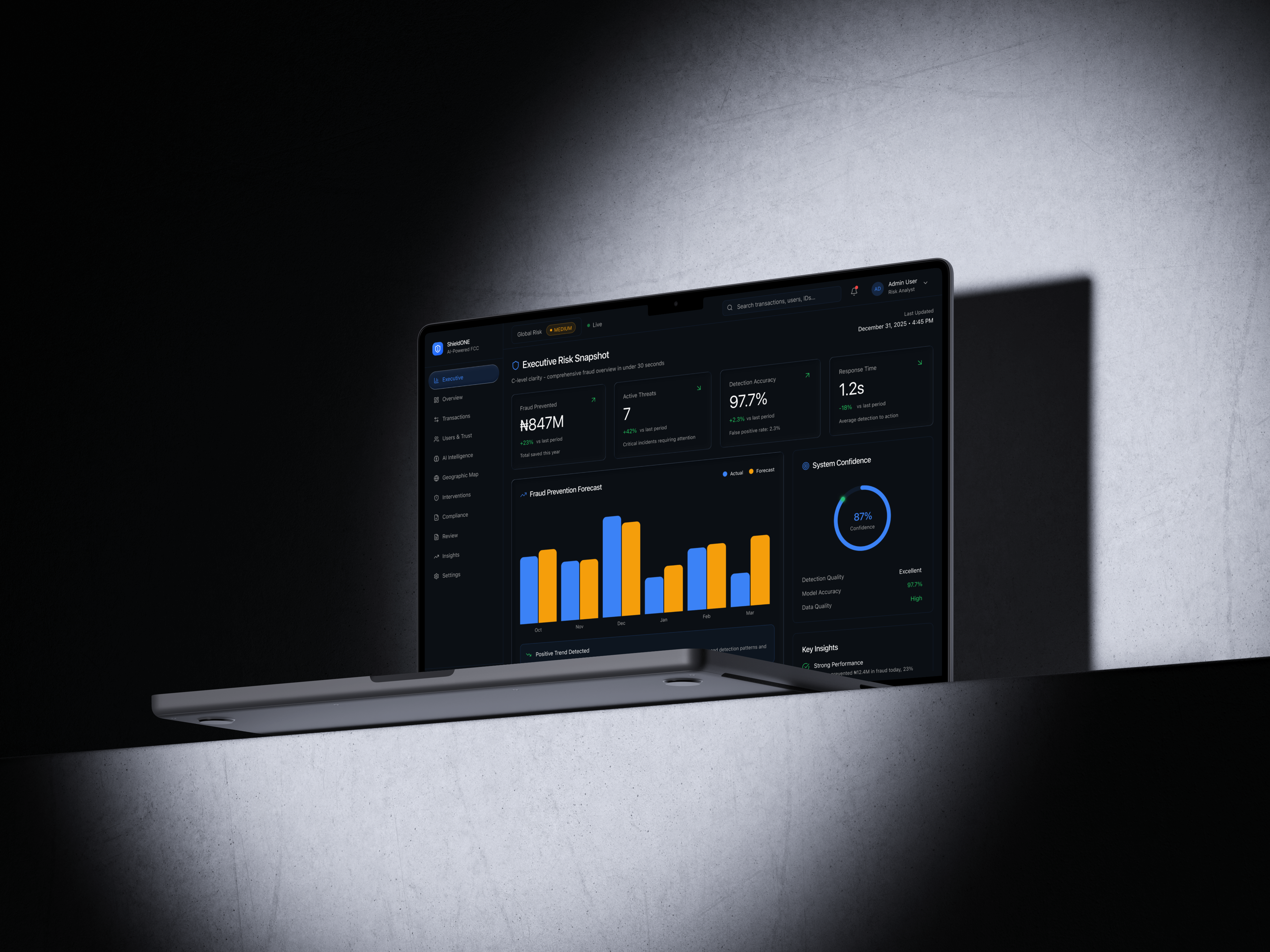
ShieldONE
AI Fraud Command Center
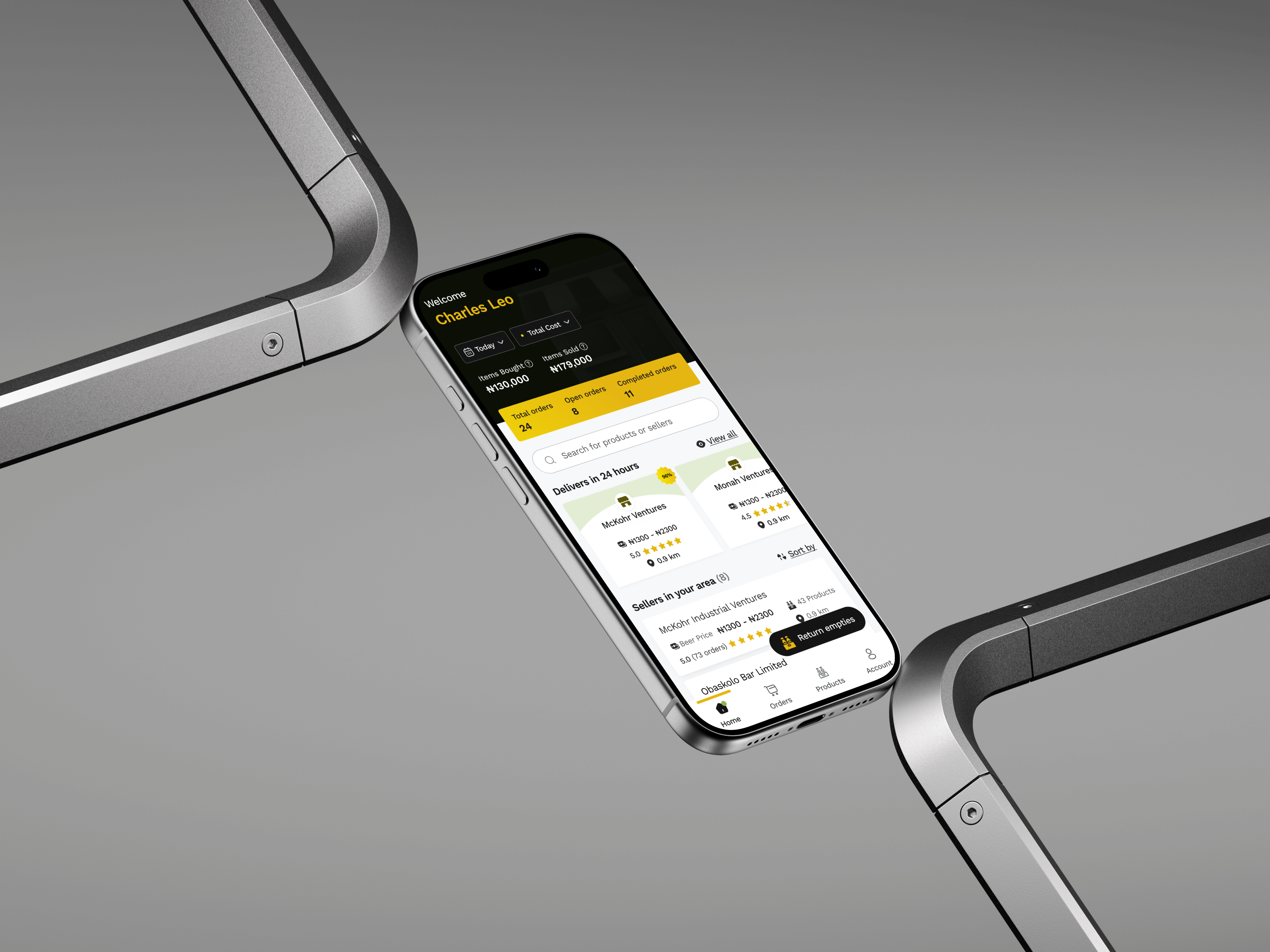
Kuja Shop App
Kuja Shop mobile app design.
harles
Copyright 2025 by Charles Nwafor